📥 My Downloads Folder is a Mess
🎯 The Problem
It was clean two weeks ago, I swear. But yet again, my downloads folder has become a mountainous dump of assorted images, videos, documents, audio files, app installers, spreadsheets, and what might possibly be a virus or two?? My friend has a chronic hoarding problem and even they held an intervention for me 😖.
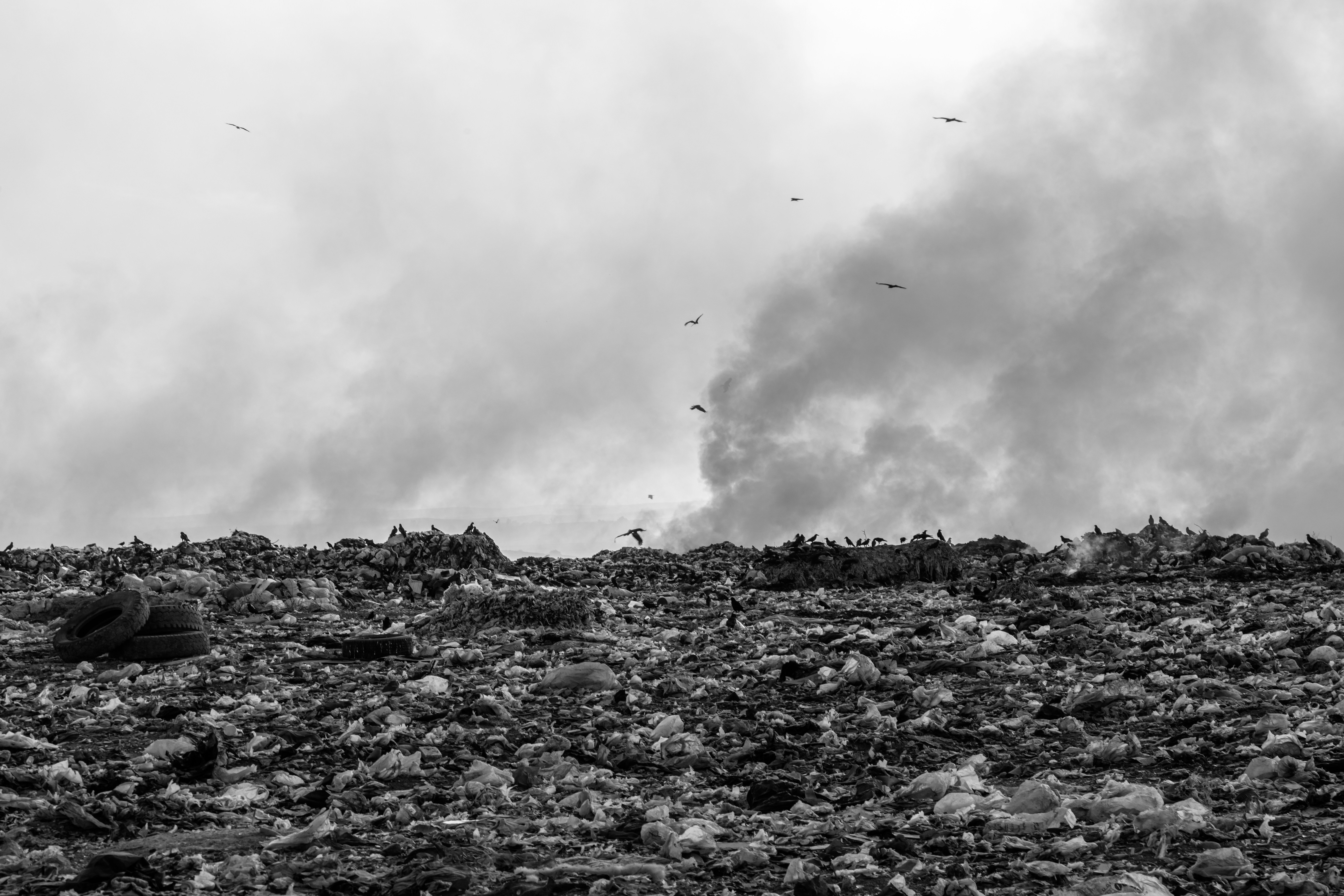
Fig 1. My downloads folder. Maybe the intervention was warranted ...
Photo by Collab Media on Unsplash
It's gotten so bad that everytime I muster up the motivation to clean it, the sheer number and diversity of content in the folder makes me question why I had the gall to even try. I just really dread having to manually prune away uneeded files and sort away the rest into the right spots elsewhere in my computer. It's a benign enough problem that I can procrastinate it without consequence, but it just gets worse with every new download. (Yeah, yeah I know I should put things in the right spot when I first download it, but I haven't yet unlocked 'discpline' and 'organization' in my skill tree 🤷♀️).
It would be pretty nice if I could at least group the files into bins like "Office Work", "Audio", "Video", "Images", and "Apps", etc. But even forcing myself to spend time doing that step is pretty daunting, especially when I have so many other things to do.
Of course, the biggest issue is I know that even if I get super motivated and power through it, the folder will become a landfill of files in two weeks. The last intervention was super cringe, I don't think I could handle another one 😭.
If only there was an easy, repeatable, and automatic way to organize my downloads folder ...
🤚 Before We Begin
As always before a new project, create a new folder on your computer, then open the folder in VS Code.
🐍 The Code
As a general rule, it's a good idea to develop your code in a low stakes setting. Especially since we will be working with files, it's unfortunately easy to command your computer to do something you didn't intend because we can mistakes when writing code and our computer is not smart enough to not follow our mistaken instructions.
So, we should create some test files. We could do this by hand, but why not automate this first?
| downloadsfolder.py | |
|---|---|
After running the code, you should see a new folder named downloads.
Next, we want to be able to check what it's in the folder.
| downloadsfolder.py | |
|---|---|
We do that by writing a loop for loop that iterates the directory files (iterdir). Right now there are no files, so nothing is printed. Let's add some fake files. Note that "touch" is the programmer way of saying "create or update a file".
Go check the downloads folder and see all the newly created files.
They are all fake, so they are just empty files with different file types.
Finally, for each file in the directory, we match the file extension to a group (like "docs" or "images").
Running the script again, we see that downloads contains subfolders which group the fake files.
Nice!
🔨 Refactoring
Refactoring
Refactoring is when you tidy up your code without changing its functionality. This includes: removing duplicated code, renaming things with better names, and more techniques which we will discuss later in the book.
Its exactly like editing an article you wrote to make it more concise, understandable, and organized, without changing the meaning or intent of the article.
There are many benefits to refactoring beyond improving code legibility. Properly refactored code is almost always easier to test, easier to debug, and easier to extend with new features. Sometimes, refactored code may even be more efficient, though this is not always the case.
We have some duplication where we define a bunch of filetypes for our random file generator,
and again we have lists of filetypes in our match statement.
We can actually remove this duplication and simultaneously improve the flow of our code if we think a bit more carefully about how we choose to organize our data.
A dictionary is a data structure which maps keys to values. This was discussed in the previous chapter, so go back and re-read if you need a refresher.
We can use a dictionary to define the mapping of filetypes to groups. Something like this:
However, even this has quite a bit of duplication and is a bit annoying to type. Instead, we can reverse the mapping to go from groups to filetypes:
which hopefully seems a bit more intuitive. Then we dynamically generate the "filetype -> group" table using some extra code, instead of hand-writing it all ourselves.
The last thing to do is remove our test downloads directory and point the script
to our actual downloads directory.
Change the path in the script to your own downloads folder to avoid an embarassing intervention.
🪞 Reflection
Take the time to complete the following reflection questions.
Q1. Define the following terms:
- File
- File extension
- Directory
- Path
- Touch(ing a file)
Answer
- File A named container on a storage device (like the hard drive on your computer) containing bytes of information.
- File extension The suffix of a file name. It tells the operating system how to interpret the data in the file.
- Directory A folder on a computer. Used to group files.
- Path A string of text which specifies the location of a directory or file.
- Touch(ing a file) Create a new empty file or, if the file already exists, update its access and modification timestamps without changing the file contents.
Q2. You downloaded a bunch of python files from the internet and they are piling up in your downloads folder. Modify the downloadsfolder.py script to automatically sort you your Python files into a code folder.
Answer
The only change required is updating the groups variable to include .py (Python files).
The rest of the code should stay the same.
# Define groups
groups = {
    "docs": {".txt", ".pdf", ".doc", ".docx", ".xls", ".xlsx", ".ppt", ".pptx"},
    "audio": {".wav", ".mp3", ".aac", ".flac", ".m4a"},
    "video": {".mp4", ".mkv", ".mov", ".avi", ".wmv"},
    "images": {".jpg", ".jpeg", ".png", ".gif", ".bmp", ".webp"},
    "archives": {".zip", ".rar", ".7z", ".tar", ".gz"},
    "apps": {".exe", ".msi", ".app", ".dmg"},
    "code": {".py"}
}
After Python, you'll probably end up picking up some more languages.
The groups dictionary is easily extensible:
# Define groups
groups = {
    "docs": {".txt", ".pdf", ".doc", ".docx", ".xls", ".xlsx", ".ppt", ".pptx"},
    "audio": {".wav", ".mp3", ".aac", ".flac", ".m4a"},
    "video": {".mp4", ".mkv", ".mov", ".avi", ".wmv"},
    "images": {".jpg", ".jpeg", ".png", ".gif", ".bmp", ".webp"},
    "archives": {".zip", ".rar", ".7z", ".tar", ".gz"},
    "apps": {".exe", ".msi", ".app", ".dmg"},
    "code": {".py", ".js", ".rs", ".c", ".cpp", ".r", ".asm", ".go"}
}
Q3. In this project, we saw an example of how to reverse the keys and values of a dictionary. Let's practice that again.
Consider, a dictionary of people and their jobs:
roles_by_person = {
    "HR": {"Penelope"},
    "Data Scientist": {"Ava"},
    "Software Developer": {"Tim", "Sofia"},
    "Researcher": {"Rachel", "Alex"}
}
Write code to convert the roles_by_person dictionary above into:
people_by_roles = {
    "Penelope": "HR",
    "Ava": "Data Scientist",
    "Sofia": "Software Developer",
    "Tim": "Software Developer",
    "Alex": "Researcher",
    "Rachel": "Researcher",
}
Answer
people_by_roles = {}
for role, people in roles_by_person.items():
    for person in people:
        people_by_roles[person] = role
So if you create a q3.py file, type in:
roles_by_person = {
    "HR": {"Penelope"},
    "Data Scientist": {"Ava"},
    "Software Developer": {"Tim", "Sofia"},
    "Researcher": {"Rachel", "Alex"}
}

people_by_roles = {}
for role, people in roles_by_person.items():
    for person in people:
        people_by_roles[person] = role

print(people_by_roles)
and run the file, you should get the desired output.